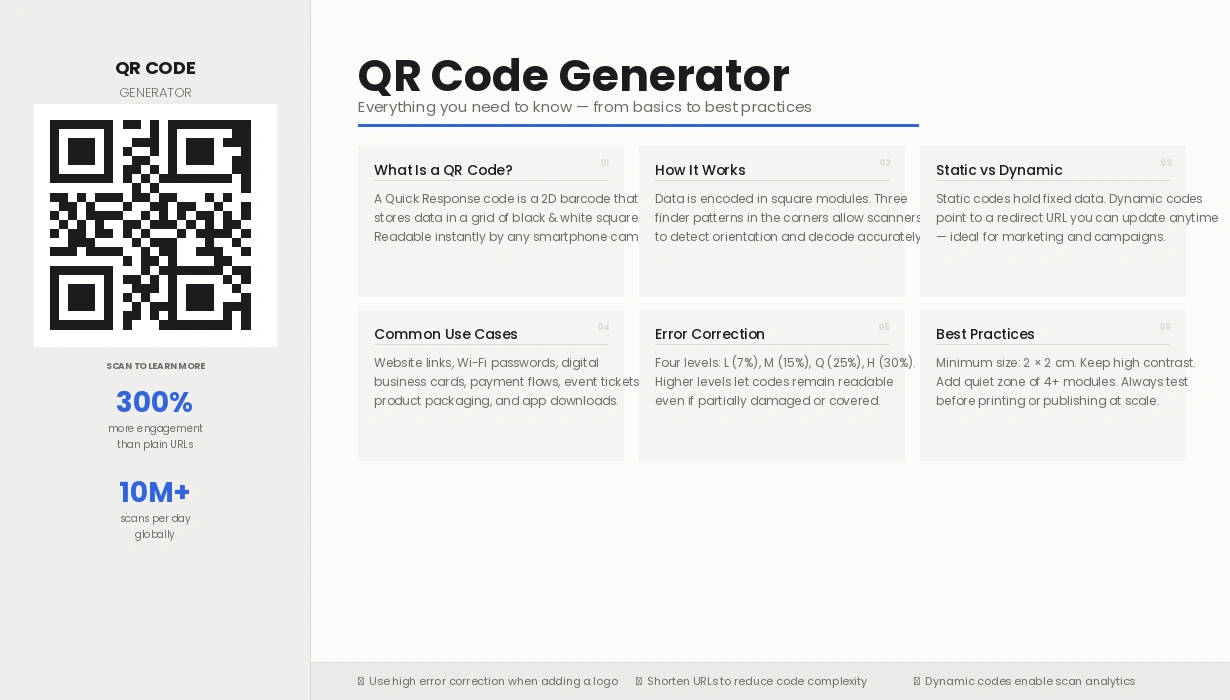
Looking for a free tool? Try the ToolConvertly QR Code Generator →
The Complete Guide · 2026
QR Code Generator: Everything You Need to Know
A plain-English guide covering what QR codes are, how generators work, and how to use them effectively — whether you're a business owner, marketer, or just curious.
What Is a QR Code Generator?
A QR code generator is a tool — online or embedded in software — that converts information into a scannable two-dimensional barcode. That information can be a website URL, phone number, Wi-Fi password, business card, or plain text. Any modern smartphone camera reads it instantly.
"QR" stands for Quick Response. The format was invented by Japanese company Denso Wave in 1994 to track automobile parts. Three decades later it appears on restaurant menus, product packaging, event tickets, and city billboards around the world.
A good QR code generator does more than encode data. It lets you control colours, embed a logo, set error-correction levels, and — with dynamic generators — update the destination after the code is already printed.
Free Tool
ToolConvertly — QR Code Generator
No sign-up. Custom colours, logo support, instant PNG & SVG download.
How Does a QR Code Generator Work?
Every QR code generator follows four steps — from reading your input to producing a scannable image.
Input Parsing
The generator reads your input and picks the most compact encoding mode — Numeric, Alphanumeric, Byte, or Kanji. A URL uses Byte mode.
Error Correction
Using Reed-Solomon correction (Levels L, M, Q, or H), the generator adds redundancy so the code stays scannable even if up to 30% of it is damaged or covered by a logo.
Matrix Construction
The encoded data is arranged into a square grid of black-and-white modules. Three finder patterns in the corners let scanners read the code from any angle.
Rendering & Export
The matrix is rendered as a downloadable image — PNG for digital use, SVG for print, or PDF for documents — ready to place anywhere from a business card to a billboard.
Static vs. Dynamic QR Codes
The most important choice when using a QR code generator is between static and dynamic codes. Understanding the difference can save you costly reprints.
Static
Permanent & Free
- ✓ Data lives inside the code itself
- ✓ No server or subscription needed
- ✓ Works completely offline
- ✗ Cannot be edited after creation
- ✗ No scan analytics
Dynamic · Recommended
Flexible & Trackable
- ✓ Edit the destination URL anytime
- ✓ Detailed scan analytics
- ✓ Shorter URL = cleaner code
- ✓ A/B test different destinations
- ✗ Advanced features require a paid plan
What Can a QR Code Generator Encode?
- Website URLs and landing pages
- Email addresses and pre-drafted messages
- Phone numbers and SMS messages
- Wi-Fi credentials (SSID + password)
- vCard contact details
- GPS coordinates and map links
- Payment links (UPI, PayPal, etc.)
- Plain text up to 7,089 characters
Free Online Tool
Generate Your First QR Code on ToolConvertly
No account needed. Set colours, error correction, and size. Download as PNG or SVG — all for free.
Create QR Code Free →Real-World Use Cases
A QR code generator bridges the physical and digital worlds. Here's how industries are using them right now.
Restaurants & Hospitality
Contactless menus became standard post-2020. Dynamic QR codes let owners update prices and daily specials without reprinting. Hotels use them to share Wi-Fi credentials and local guides in each room.
Retail & E-Commerce
Product packaging codes link to manuals, warranty registration, tutorials, and loyalty programmes. Some brands use unique per-unit codes to verify product authenticity.
Events & Entertainment
QR codes replace paper tickets entirely. A generator creates a unique code per attendee, enabling fast gate scanning and session check-ins at conferences without long queues.
Healthcare
Patient wristband QR codes give medical staff instant access to records, allergies, and medication history. Pharmaceutical packaging links to dosage instructions and reporting portals.
Education
Teachers print QR codes on worksheets that link students to videos, quizzes, and assignment portals. Libraries attach them to shelves pointing to digital catalogues and reading lists.
Real Estate
Property signage with QR codes lets buyers book viewings, access floor plans, and take virtual tours at any time — no phone call or agent required.
Best Practices
Follow these to make sure every code you create actually gets scanned.
Always test before printing
Scan on both iOS and Android before any print run. A broken code reaching thousands of people is expensive to correct.
Use higher error correction for logo codes
Choose Level Q (25%) or H (30%) when embedding a logo. The extra redundancy keeps the code scannable even with part of it covered. Use Level L or M for plain codes.
Keep contrast high
Dark modules on a light background — not the other way around. Aim for at least a 4:1 contrast ratio. Avoid placing codes over busy photographs or gradients.
Respect the quiet zone
Every QR code needs a clear blank margin — at least 4 modules wide on all sides. Cutting into this border is the most common cause of unscannable codes.
Size for the scanning distance
Rule of thumb: minimum size = 1/10th the scanning distance. A code scanned from 1 metre needs to be at least 10 × 10 cm.
Add a call-to-action
A lone QR code gives users no context. Add text like "Scan to see the menu" or "Scan for 15% off." Codes with a clear CTA get significantly more scans.
Want to try these out? The ToolConvertly QR Code Generator lets you control colour, error correction, and size — a good sandbox for testing everything covered above.
Frequently Asked Questions
Is a QR code generator free? +
Most generators offer free tiers for static codes with no expiry. Dynamic codes with analytics and editable destinations typically cost $5–$30/month. The embedded tool on this page and ToolConvertly's generator are both free for static codes.
Do QR codes expire? +
Static QR codes never expire — the data is baked into the code itself. Dynamic QR codes redirect through a server, so if the service closes or you cancel, the codes stop working. Worth considering for long-term printed materials.
Can I add a logo to my QR code? +
Yes. Use Level H error correction so the code stays scannable even with the centre partially covered. Keep the logo under 30% of the total code area, and always test on multiple devices before printing.
What file format should I download? +
Use SVG for professional printing — it scales without pixelation. Use PNG (at least 1000×1000px) for digital use and email. Avoid JPEG, which adds compression artifacts to QR module edges and can cause scanning failures.
Are QR codes safe to scan? +
QR codes themselves are just data — they're safe. The risk is in where they point. A known scam called "quishing" involves replacing legitimate codes with stickers that lead to phishing sites. Always check the URL preview before tapping, especially for payments.
Free Tool
QR Code Generator
Enter any URL, text, email, or phone number and download your code.
For SVG export and logo embedding, visit ToolConvertly's full QR generator →
Start Using a QR Code Generator Today
A QR code generator is one of the simplest, most practical tools for any business or creator. Whether you're linking a table to a menu, directing visitors to your portfolio, or sharing Wi-Fi credentials — QR codes handle it quickly and without friction.
The best place to start is a free tool that requires no sign-up. ToolConvertly fits that brief.