SEO Guide
How to Create a Robots.txt File
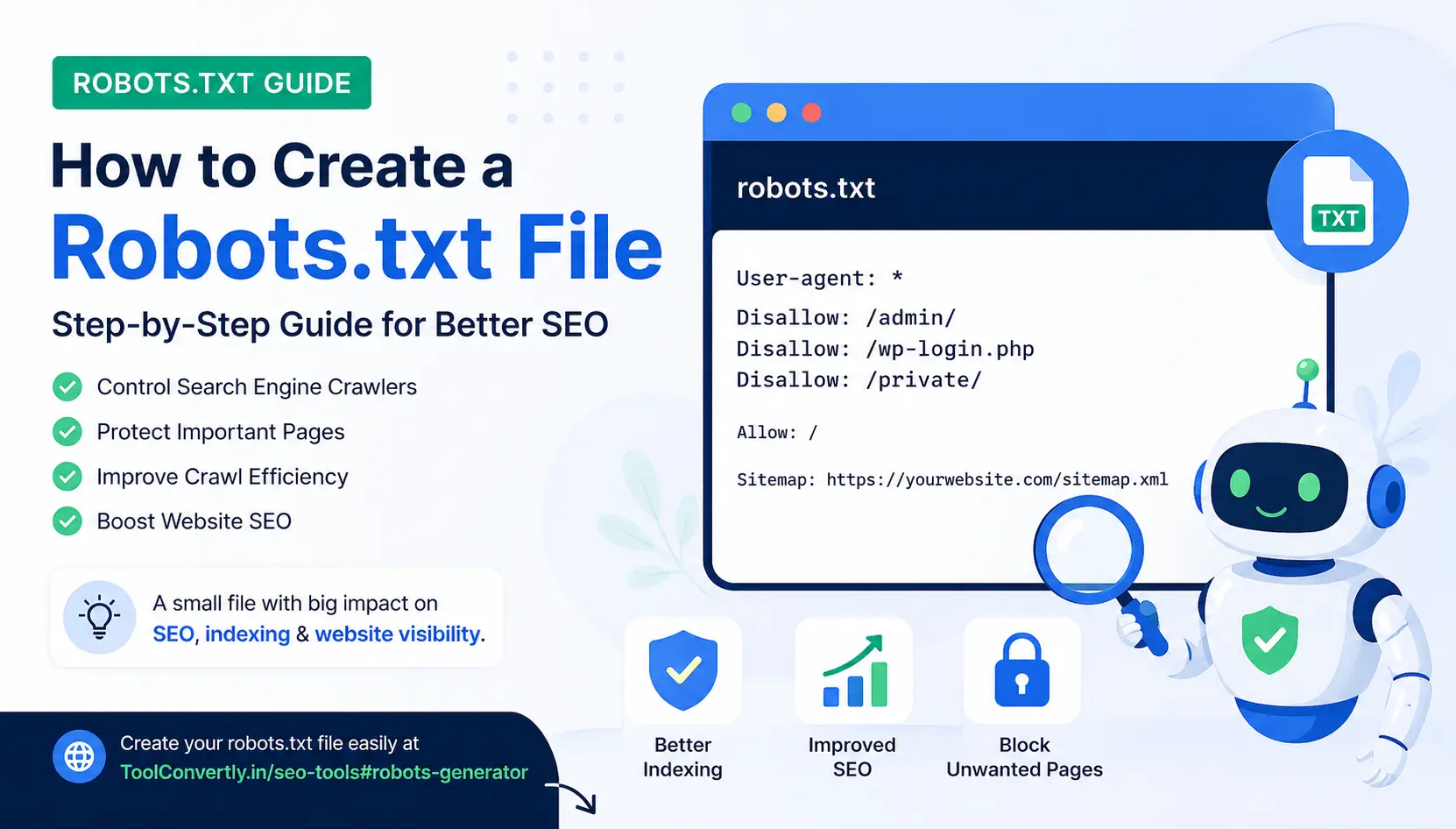
A robots.txt file is one of the smallest files on your website, but it can have a big impact on crawling, indexing, search engine optimization, page discovery, and how search engines understand your website structure.
Quick answer: To create a robots.txt file, open a plain text editor, write rules for search engine crawlers, save the file as robots.txt, and upload it to your website root directory, for example https://yourwebsite.com/robots.txt. You can also create one quickly using ToolConvertly Robots.txt Generator.
What Is a Robots.txt File?
A robots.txt file is a simple text file that tells search engine crawlers which parts of your website they can or cannot crawl. It is usually placed in the root folder of your website. For example, if your domain is example.com, your robots.txt file should be available at example.com/robots.txt.
This file is useful for website owners, bloggers, developers, SEO beginners, digital marketing agency teams, and anyone who wants better control over website crawling. It does not directly guarantee ranking, but it helps search engine bots understand which areas of your website should be accessed and which should be avoided.
In simple words, robots.txt is like a signboard for crawlers. It says, “You can visit this area, but please do not visit that area.” This is useful when you want to block admin pages, private folders, internal search pages, temporary files, duplicate pages, or low-value URLs that do not need to appear in search results.
Simple image idea for this blog
You can add an image showing a small website map: Homepage, Blog, Tools, Admin, Login, and Search Results. Use green arrows for pages allowed to crawl and red lock icons for pages blocked by robots.txt. This makes the explanation easy for beginners.
Why Robots.txt Matters for SEO
Many people define SEO as the process of improving a website so it can appear better in search results. Robots.txt supports search engine optimization because it helps crawlers spend time on the most important pages. If your website has useful landing page content, blog seo articles, SEO tools, image tools, or product pages, you want search engines to crawl those valuable pages instead of wasting time on unnecessary URLs.
For example, if your website has hundreds of internal search result pages, filter pages, login pages, or duplicate parameter URLs, crawlers may spend too much time there. This can affect crawl efficiency, especially on larger websites. A clean robots.txt file can support better website SEO optimization by giving crawlers clearer instructions.
Robots.txt is also useful when working on search optimization, google search optimization, seo search optimization, and technical SEO. It is not the same as a noindex tag, and it should not be used as a privacy tool. But it is still one of the basic technical SEO files every website should have.
Basic Robots.txt File Example
Here is a very simple robots.txt file that allows all search engine crawlers to access your website:
User-agent: *
Allow: /

Sitemap: https://example.com/sitemap.xml
This tells all crawlers that they can crawl the website. The sitemap line tells search engines where your XML sitemap is located. If you are serious about seo search engine optimization, adding your sitemap URL in robots.txt is a good practice.
How to Create a Robots.txt File Manually
Creating a robots.txt file manually is easy. You do not need advanced coding knowledge. You only need a plain text editor and basic understanding of what you want to allow or block.
Step 1: Open a text editor
Use Notepad, VS Code, Sublime Text, or any simple text editor. Do not use rich editors that may add hidden formatting.
Step 2: Add crawler rules
Write the user-agent and allow/disallow rules depending on which pages or folders you want search engines to crawl.
Step 3: Save as robots.txt
The file name must be exactly robots.txt. Use lowercase letters and avoid names like robots.txt.txt.
After creating the file, upload it to your website root directory. If you are using cPanel, open File Manager, go to public_html, and upload the file there. After uploading, test it by opening your domain followed by /robots.txt.
Common Robots.txt Rules
Here are common examples you can use depending on your website needs.
Allow all crawlers
User-agent: *
Allow: /
Block all crawlers
User-agent: *
Disallow: /
Be careful with this rule. It blocks the entire website from crawling. Do not use it on a live website unless you truly want search engines to stay away.
Block admin and login pages
User-agent: *
Disallow: /admin/
Disallow: /login/
Disallow: /register/

Sitemap: https://example.com/sitemap.xml
Block internal search pages
User-agent: *
Disallow: /search
Disallow: /*?q=
This is useful for websites that have search websites features, page landing page variations, filters, or query-based search results that do not need to be crawled.
Create Robots.txt File Online with ToolConvertly
If you do not want to write the file manually, you can use a robots.txt generator. This is easier for beginners because you simply choose what you want to allow or block, and the tool generates the file content for you.
Recommended tool
Use ToolConvertly’s free Robots.txt Generator to create a clean robots.txt file for your website.
Create Robots.txt File OnlineThis internal tool is helpful for bloggers, business website owners, SEO beginners, and anyone learning search engine optimization in digital marketing. Instead of guessing the syntax, you can generate the robots.txt content and then upload it to your website.
Robots.txt and Sitemap: Why They Work Together
A sitemap helps search engines discover important URLs. Robots.txt helps crawlers understand which parts of your website should or should not be crawled. Together, they create a cleaner technical SEO foundation.
For example, your robots.txt file can block unnecessary folders and still point search engines to your sitemap. This is useful for google seo, search engine optimization tools, seo optimization tools, seo website checker workflows, seo checker checks, and technical audits using any site checker or website checker.
User-agent: *
Disallow: /admin/
Disallow: /login/
Disallow: /search

Sitemap: https://example.com/sitemap.xml
Robots.txt Mistakes You Should Avoid
Robots.txt is simple, but small mistakes can create big problems. Here are common mistakes to avoid.
Blocking the whole website
The rule Disallow: / blocks your full website from crawling. Use it carefully.
Using robots.txt for private data
Robots.txt is public. Do not use it to hide sensitive pages or private files.
Forgetting sitemap URL
Adding your sitemap URL helps search engines find your important pages faster.
Another mistake is thinking robots.txt and noindex are the same. They are not. Robots.txt controls crawling. A noindex tag controls indexing. If a page is blocked by robots.txt, search engines may not be able to see the noindex tag on that page. So for pages you want removed from search results, use noindex properly instead of relying only on robots.txt.
Best Robots.txt File for a Normal Website
For a normal blog, business website, or tools website, a clean robots.txt file can look like this:
User-agent: *
Disallow: /admin/
Disallow: /login/
Disallow: /register/
Disallow: /search
Disallow: /*?*

Sitemap: https://yourdomain.com/sitemap.xml
This is only an example. You should customize it based on your website structure. If your website uses query parameters for important pages, do not block them blindly. Always test your rules before applying them on a live website.
Robots.txt for WordPress, Laravel, and Custom Websites
If you are using WordPress, your robots.txt file may be generated automatically by SEO plugins. But you can still create a physical robots.txt file if needed. For Laravel, PHP, custom HTML, or other websites, you can upload the file directly to your public root folder.
For Laravel websites, the file is usually placed inside the public folder. On cPanel hosting, this often means uploading it inside public_html. Once uploaded, you should be able to visit yourdomain.com/robots.txt in the browser.
If you run a website with SEO tools, developer tools, landing page templates, ai content tools, keyword research tool features, free keyword research tool pages, free keyword search tool pages, or free keyword analysis tool features, robots.txt can help keep your crawl structure clean.
How Robots.txt Helps Different Types of Websites
For a blog, robots.txt can block tag search URLs, internal search URLs, and unnecessary archive pages. For an eCommerce website, it can help block cart, checkout, and filter URLs. For a tools website, it can block temporary result pages, user-generated output pages, or test URLs. For a digital marketing company, SEO agency, SEO firm, search engine optimization agency, or search engine optimization company, robots.txt is often part of a technical SEO checklist.
In seo digital marketing, seo and digital marketing, marketing search engine optimization, google seo marketing, seo marketing, seo & marketing, marketing & seo, online marketing, internet marketing, e marketing, and digital advertising, small technical improvements can support a better website foundation. Robots.txt is not a magic ranking tool, but it helps organize how crawlers interact with your website.
Robots.txt and Website Performance
Robots.txt does not directly improve page speed, but it can support crawl efficiency. If search engine crawlers are spending time on useless URLs, your important content may not be crawled as efficiently as possible. This matters more for large sites with thousands of pages.
For example, a website may have important pages targeting terms like seo tips, seo strategies, local seo, seo keyword research, keyword seo, keyword search seo, keyword analysis seo, seo and keyword research, search engine optimization keywords, and search engine optimization keyword research. If crawlers are distracted by low-value URLs, those important pages may not get the attention they deserve.
A clean website structure, fast loading pages, good internal linking, helpful content, and proper robots.txt setup work together. This is why robots.txt is often checked during website seo optimization, seo optimization checker reviews, seo page checker audits, seo web checker reports, seo site tester checks, site checker seo reviews, and check website for seo optimization tasks.
Should You Block AI Crawlers?
Some website owners are now asking whether they should block AI crawlers. This depends on your goals. If you want maximum discoverability, you may not want to block too much. If you are protecting original content, you may want to review AI crawler rules carefully. Topics like ai seo, ai for seo, ai and seo, artificial intelligence seo, artificial intelligence search engine optimization, and seo writer ai are growing, so website owners should stay aware of how content is accessed and used.
For most beginners, the best approach is to keep your robots.txt simple. Do not add advanced crawler blocks unless you understand what they do.
How to Test Your Robots.txt File
After creating your robots.txt file, open it in your browser. It should load as plain text. Then check whether your important pages are not accidentally blocked. You can also inspect URLs in Google Search Console and check crawl behavior over time.
If you are trying to boost traffic, improve google search rankings, reach the first page, increase website traffic, monitor web traffic, check page traffic, use a site traffic checker, web traffic checker, traffic website checker, page traffic checker, look up website traffic, look up web traffic, or website to check website traffic, remember that robots.txt is only one piece of the SEO puzzle. You still need good content, technical SEO, backlinks, internal linking, and user-friendly pages.
Robots.txt and Paid Marketing
Robots.txt is mainly connected to organic search, but it also matters for websites running google advertising, google paid search, paid ads, online advertising, advertising campaigns, advertising display, ads site campaigns, and search engine marketing. If your landing pages are important for campaigns, make sure they are not accidentally blocked from crawling if you also want them to appear in organic search.
For conversion optimization, a good landing page should load fast, explain the offer clearly, and be accessible to users and search engines when needed. Blocking the wrong page can reduce visibility and create confusion during SEO and marketing checks.
Simple Checklist Before Publishing Robots.txt
- File name is exactly robots.txt
- File is placed in the website root directory
- Important pages are not blocked
- Admin, login, and search pages are handled properly
- Sitemap URL is added
- File opens correctly at yourdomain.com/robots.txt
FAQ About Robots.txt
Is robots.txt necessary for SEO?
It is not always required, but it is recommended. A robots.txt file helps search engines understand your crawl preferences and can improve your technical SEO setup.
Can robots.txt improve rankings?
Robots.txt does not directly rank your pages higher. But it can support better crawling, cleaner website structure, and stronger search engine optimization.
Where should I upload robots.txt?
Upload it to your website root folder. It should be visible at yourdomain.com/robots.txt.
Can I create robots.txt without coding?
Yes. You can use ToolConvertly’s free Robots.txt Generator to create one online.
Related SEO Terms You May See
When learning robots.txt and technical SEO, you may also see terms like optimize seo, search engine, seo search engine, search for seo, google search engine optimization, search engine optimisation google, seo optimization google, search engine optimization sites, search optimization tools, tools for seo, seo seo tools, search engine optimization free tools, research tool, crawl website, google crawl, seo web, websites and seo, web and seo, seo site, seo optimization site, seo your website, ranking seo, ranking by seo, best website, good search engine, website solutions, all websites, search websites, search results, businesses advertising, media marketing agency, digital marketing company, digital marketing agency, digital marketing company in new york, digital marketing agency in new york, search engine optimization services, best search engine optimization companies, seo optimization companies, seo companies, seo for company, agency for seo, local search engine optimization, seo e commerce, app optimization, content strategy, write seo content, blog seo, ai content, page speed, website traffic, and web traffic.
These terms are connected to the larger world of SEO and digital marketing. But for beginners, the main goal is simple: create useful pages, make them easy for search engines to crawl, and avoid blocking important content by mistake.
Practical Takeaway
A robots.txt file is small, but it plays an important role in technical SEO. It helps search engine crawlers understand which parts of your website they can crawl and which parts they should avoid. Whether you are running a blog, business website, tools website, landing page, or online service, a clean robots.txt file can make your site structure easier to manage.
If you are new to SEO, do not overcomplicate it. Start with a simple robots.txt file, add your sitemap, block only unnecessary areas, and test everything carefully. The goal is not to block search engines. The goal is to guide them toward your most useful content.
Create Your Robots.txt File for Free
Use ToolConvertly’s free Robots.txt Generator to create a clean robots.txt file for your website in minutes.
Open ToolConvertly Robots.txt Generator