Have you ever tried uploading a photo only to get an error saying the file is too large? Or noticed your website loading painfully slow because of oversized images? You're not alone. Image resizing is one of the most common tasks on the web — and yet most people still don't have a fast, reliable way to do it.
The good news? You don't need Photoshop or any paid software. A free online image resizer tool can handle everything in seconds, right from your browser.
What Is an Image Resizer?
An image resizer is a tool that lets you change the dimensions (width and height) of a photo or graphic — either by entering exact pixel values, choosing a percentage, or selecting a preset size. Most modern tools also allow you to compress the file size simultaneously, so your image stays sharp while taking up less space.
Whether you're a blogger, e-commerce store owner, social media manager, or just someone trying to email a photo, knowing how to resize images correctly is a fundamental digital skill.
💡 Quick Fact
According to Google's Web Performance Guidelines, images account for over 50% of a typical webpage's total byte size. Resizing and compressing images is one of the single biggest performance wins you can make.
Why Does Image Size Matter?
Many people focus only on image quality, but size matters just as much. Here's why resizing images should be part of your regular workflow:
Faster Website Speed
Large images slow down page load times, hurting both user experience and your Google ranking.
Easy Uploads & Sharing
Most platforms — from email to Instagram — have file size limits. Resized images upload faster and fit perfectly.
Save Storage Space
Reduce storage costs on servers, cloud drives, and your device by keeping images at the right dimensions.
Perfect for Social Media
Each platform has different ideal dimensions. A proper image resizer lets you nail every format every time.
How to Resize an Image Online
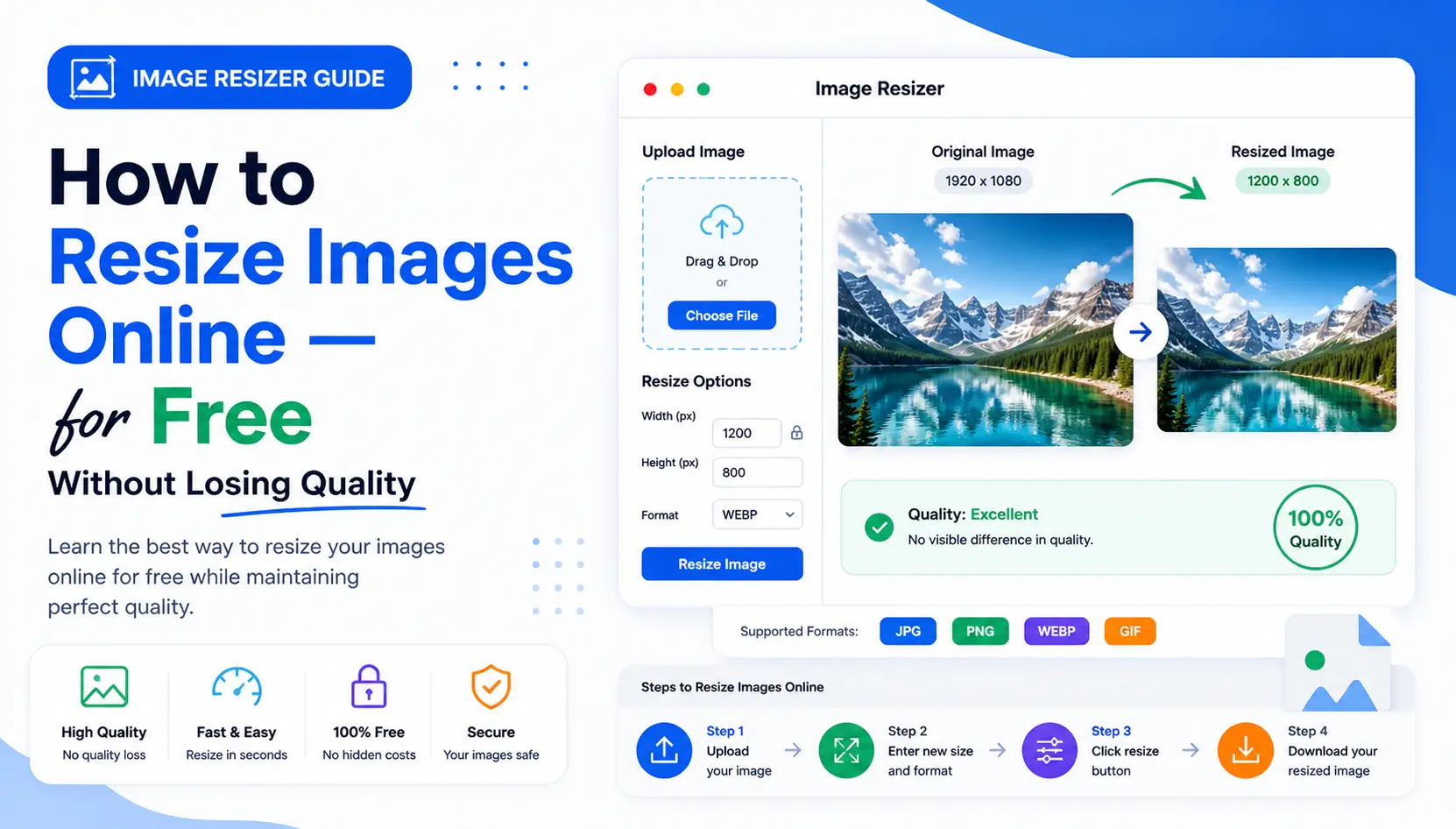
Using a free online image resizer is incredibly simple. Here's how to do it in under a minute:
Open the Image Resizer Tool
Head over to the Free Online Image Resizer by ToolConvertly. No sign-up, no downloads — just open it in your browser and you're ready to go.
Upload Your Image
Click the upload area or drag and drop your image directly. The tool supports popular formats including JPG, PNG, WebP, and GIF.
Set Your Target Dimensions
Enter your desired width and height in pixels, or choose a percentage scale. Enable "lock aspect ratio" to prevent distortion.
Download Your Resized Image
Click "Resize" and instantly download your optimized image. It's processed in your browser — your photos never leave your device.
Ideal Image Sizes for Every Platform
Not sure what dimensions to use? Here's a quick reference for the most common use cases:
| Platform / Use Case | Recommended Size |
|---|---|
| Website Hero Image | 1920 × 1080 px |
| Blog Post Featured Image | 1200 × 628 px |
| Instagram Post (Square) | 1080 × 1080 px |
| Facebook Cover Photo | 851 × 315 px |
| YouTube Thumbnail | 1280 × 720 px |
| Email Attachment | 800 × 600 px (under 1 MB) |
Tips to Resize Images Without Losing Quality
Resizing doesn't have to mean sacrificing sharpness. Follow these best practices to keep your images looking their best:
Always scale down, not up. Enlarging a small image creates blurry, pixelated results. Start with the largest version available.
Lock the aspect ratio. Changing width and height independently can stretch or squish your photo. Keep proportions intact.
Use the right format. JPEG is great for photos, PNG for graphics with transparency, and WebP for the best balance of quality and compression on the web.
Keep a backup of the original. Before resizing, always save the original high-resolution file in a separate folder.
Ready to Resize Your Images?
No software. No signup. No waiting. Resize any image in seconds — completely free and private.
Try the Free Image Resizer →Works on desktop & mobile · No file size limit · 100% private
Final Thoughts
Resizing images is a small habit that has a big impact. Whether you're optimizing your website, prepping content for social media, or just trying to send a photo by email — using the right image resizer saves you time, storage, and frustration.
The best part? You don't need to be technical to do it. With a tool like ToolConvertly's Image Resizer, anyone can produce perfectly sized images in just a few clicks — no software required.
Make it a part of your regular workflow and you'll notice faster load times, cleaner uploads, and a much smoother overall experience. Start resizing smarter today.