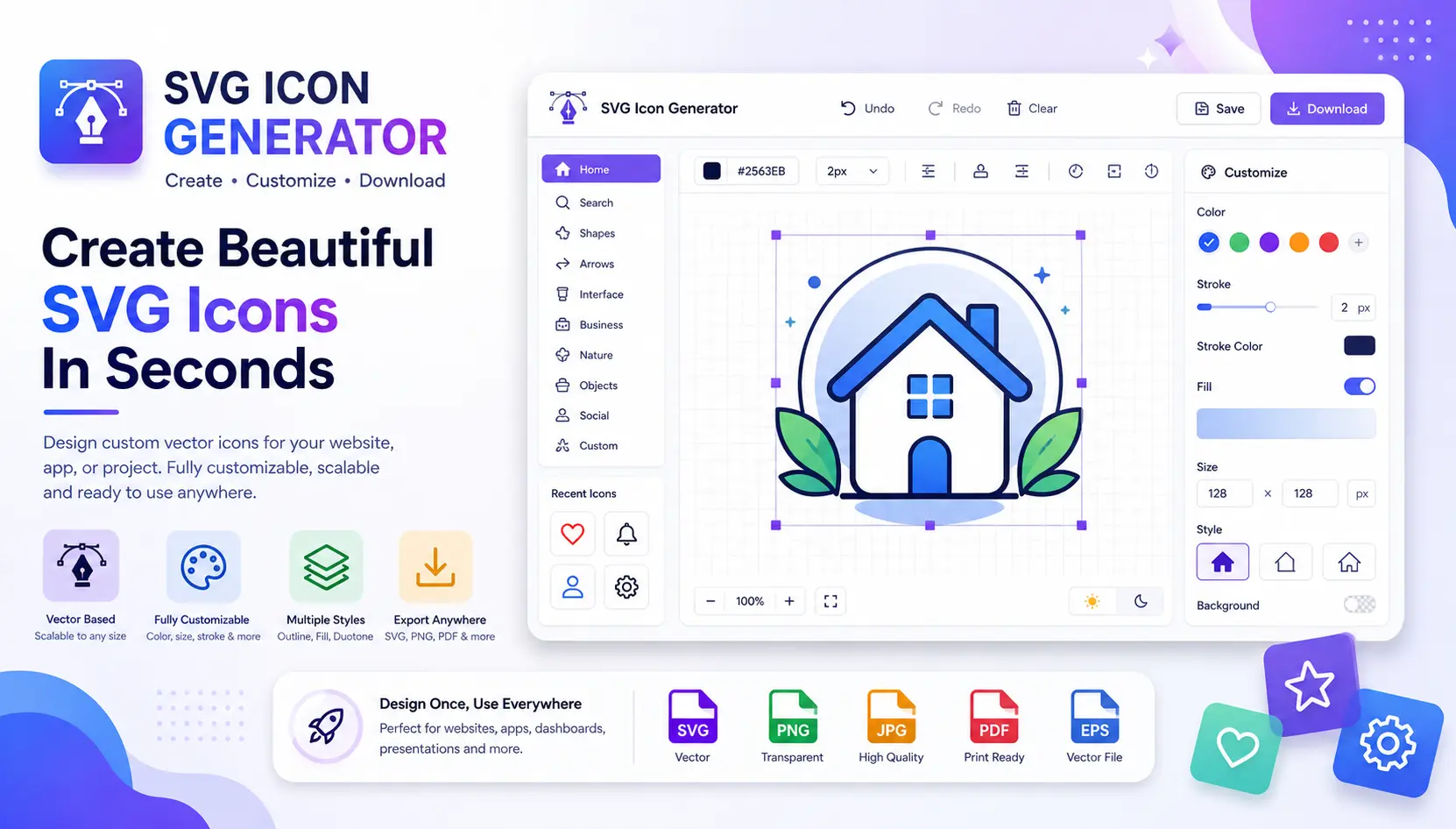
SVG Icon Generator:Create Stunning Custom Icons Instantly
Stop hunting icon libraries. Start building icons made exactly for your vision.
Icons are the silent communicators of the digital world. A single well-crafted icon can guide a user, reinforce a brand, or make a dashboard feel alive — all without a single word. Yet for years, designers and developers had to wrestle with rigid icon libraries that never quite matched their creative vision. That era is over, thanks to the rise of the SVG Icon Generator.
What Is an SVG Icon Generator?
An SVG Icon Generator is an online tool that lets you design, customize, and instantly download scalable vector icons without writing a single line of code. Unlike raster PNG images that blur and pixelate when resized, SVG (Scalable Vector Graphics) icons remain razor-sharp at any size — from a 16px favicon to a massive billboard display.
According to the MDN Web Docs on SVG, Scalable Vector Graphics is an XML-based vector image format that supports interactivity and animation — making it the gold standard for modern web icons and UI graphics.
Quick fact: SVG files are typically 40–80% smaller than equivalent PNG files, and they scale infinitely without losing quality — making them the preferred choice for responsive web design.
Why You Need a Custom SVG Icon Generator
Generic icon packs — no matter how extensive — are built for everyone, which means they are perfectly designed for no one. Your SaaS dashboard, e-commerce platform, or mobile app has its own identity, color system, and visual language. A custom SVG Icon Generator closes that gap, giving you tools to build icons that feel native to your product from day one.
Zero Design Skills Needed
Intuitive sliders and pickers do the heavy lifting so anyone can create professional-grade icons.
Infinite Scalability
Every icon renders perfectly at 16px, 512px, or 2000px — crisp on retina and 4K screens alike.
Instant Download
Export your finished icons directly as .svg files ready to drop into any project.
Key Features of a Modern SVG Icon Generator
Not all icon generation tools are created equal. The best SVG Icon Generator platforms offer a rich suite of customization controls that let you produce icons with pixel-perfect precision. Here is what to look for:
Color & Gradient Control
Adjust fill colors, apply linear or radial gradients, and fine-tune opacity — all in real time with a live preview that updates instantly as you design.
Stroke & Border Styling
Choose stroke width, dash patterns, and cap styles to create outlined, filled, or hybrid icon styles that match any design system — from Material to iOS to Fluent.
Shadow & Depth Effects
Add subtle drop shadows or inset glows to give your icons a sense of depth and dimensionality — essential for skeuomorphic or 3D-style interface design.
Custom Labels & Text
Embed labels directly inside icons — useful for numbered badges, status indicators, or branded thumbnail icons for YouTube channels and blog posts.
Size & Export Options
Define exact canvas dimensions — from 16×16 for favicons to 512×512 for app store listings — and download production-ready SVG files on the spot.
Where Custom SVG Icons Make the Biggest Impact
Knowing when and where to use a custom SVG Icon Generator can dramatically elevate your project's quality. Here are the most impactful use cases:
Websites & Landing Pages — Replace generic stock icons with brand-matched visuals that reinforce your visual identity the moment visitors land on your page. A cohesive icon set signals professionalism and builds trust faster than any headline.
App & Dashboard UI — Navigation menus, sidebar icons, data visualization labels — every touchpoint inside your application benefits from icons that speak the same visual language. Custom SVG icons ensure your design system stays consistent across every screen state.
Tool & Product Pages — Feature comparison sections, step-by-step onboarding, and pricing tables all convert better when accompanied by unique, branded icons that visually anchor each feature claim.
Thumbnails & Social Graphics — YouTube thumbnails, blog post hero images, and social media cards gain an instant professional lift when built around a well-designed custom icon rather than a recycled emoji or clip-art asset.
SVG vs. PNG: Why Vector Always Wins
Many designers still default to PNG for icons out of habit. But the advantages of SVG — especially when paired with a high-quality SVG Icon Generator — are too significant to ignore in 2025.
How to Get the Most from Your SVG Icon Generator
Getting great results from an SVG Icon Generator comes down to a few smart habits. First, always start with your brand's primary color palette locked in — this keeps every icon visually cohesive and avoids the temptation to mix too many hues.
Second, pick one stroke style — either filled, outlined, or duotone — and use it consistently across your entire set. Mixing styles creates visual noise and makes your UI feel unpolished, no matter how good the individual icons look in isolation.
Third, test your icons at their intended display size before finalizing. An icon that looks beautiful at 256px may lose important detail at 24px — something a good SVG Icon Generator will let you preview in real time.
Final Thoughts
The days of settling for generic icon packs that almost match your design are behind us. A modern SVG Icon Generator hands control back to designers and developers alike — letting you ship unique, on-brand, perfectly sized icons without the overhead of hiring a dedicated illustrator or spending hours in complex design software.
Whether you are building a SaaS product, a personal website, a developer tool page, or a YouTube channel brand kit, custom SVG icons are one of the highest-leverage investments you can make in your visual identity. Start generating yours today and experience firsthand how a single well-crafted icon can transform the feel of an entire interface.